Web cookies (also called HTTP cookies, browser cookies, or simply cookies) are small pieces of data that websites store on your device (computer, phone, etc.) through your web browser. They are used to remember information about you and your interactions with the site.
Purpose of Cookies:
Session Management:
Keeping you logged in
Remembering items in a shopping cart
Saving language or theme preferences
Personalization:
Tailoring content or ads based on your previous activity
Tracking & Analytics:
Monitoring browsing behavior for analytics or marketing purposes
Types of Cookies:
Session Cookies:
Temporary; deleted when you close your browser
Used for things like keeping you logged in during a single session
Persistent Cookies:
Stored on your device until they expire or are manually deleted
Used for remembering login credentials, settings, etc.
First-Party Cookies:
Set by the website you're visiting directly
Third-Party Cookies:
Set by other domains (usually advertisers) embedded in the website
Commonly used for tracking across multiple sites
Authentication cookies are a special type of web cookie used to identify and verify a user after they log in to a website or web application.
What They Do:
Once you log in to a site, the server creates an authentication cookie and sends it to your browser. This cookie:
Proves to the website that you're logged in
Prevents you from having to log in again on every page you visit
Can persist across sessions if you select "Remember me"
What's Inside an Authentication Cookie?
Typically, it contains:
A unique session ID (not your actual password)
Optional metadata (e.g., expiration time, security flags)
Analytics cookies are cookies used to collect data about how visitors interact with a website. Their primary purpose is to help website owners understand and improve user experience by analyzing things like:
How users navigate the site
Which pages are most/least visited
How long users stay on each page
What device, browser, or location the user is from
What They Track:
Some examples of data analytics cookies may collect:
Page views and time spent on pages
Click paths (how users move from page to page)
Bounce rate (users who leave without interacting)
User demographics (location, language, device)
Referring websites (how users arrived at the site)
Here’s how you can disable cookies in common browsers:
1. Google Chrome
Open Chrome and click the three vertical dots in the top-right corner.
Go to Settings > Privacy and security > Cookies and other site data.
Choose your preferred option:
Block all cookies (not recommended, can break most websites).
Block third-party cookies (can block ads and tracking cookies).
2. Mozilla Firefox
Open Firefox and click the three horizontal lines in the top-right corner.
Go to Settings > Privacy & Security.
Under the Enhanced Tracking Protection section, choose Strict to block most cookies or Custom to manually choose which cookies to block.
3. Safari
Open Safari and click Safari in the top-left corner of the screen.
Go to Preferences > Privacy.
Check Block all cookies to stop all cookies, or select options to block third-party cookies.
4. Microsoft Edge
Open Edge and click the three horizontal dots in the top-right corner.
Go to Settings > Privacy, search, and services > Cookies and site permissions.
Select your cookie settings from there, including blocking all cookies or blocking third-party cookies.
5. On Mobile (iOS/Android)
For Safari on iOS: Go to Settings > Safari > Privacy & Security > Block All Cookies.
For Chrome on Android: Open the app, tap the three dots, go to Settings > Privacy and security > Cookies.
Be Aware:
Disabling cookies can make your online experience more difficult. Some websites may not load properly, or you may be logged out frequently. Also, certain features may not work as expected.
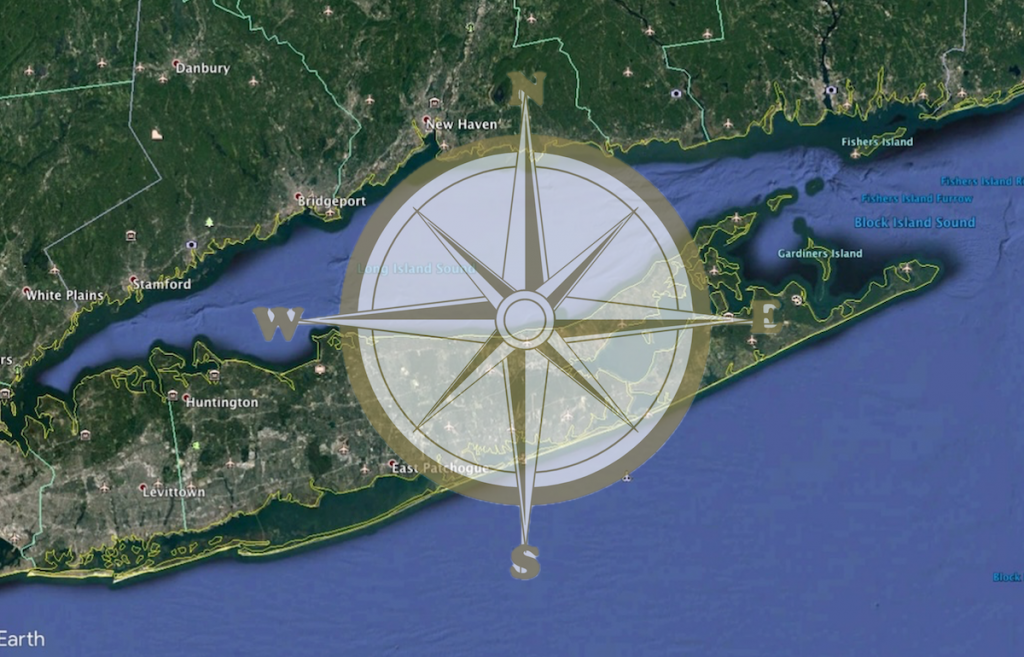
The Long Island Sound Data Navigator is a query-able one stop directory that, in lieu of hosting the data itself, points to where the data can be found and connect users with the organizations generating the data of interest. This tool was drafted, reviewed and is now available to assist resource managers, scientists, educators and other data users. Access the LIS Data Navigator Home Page.
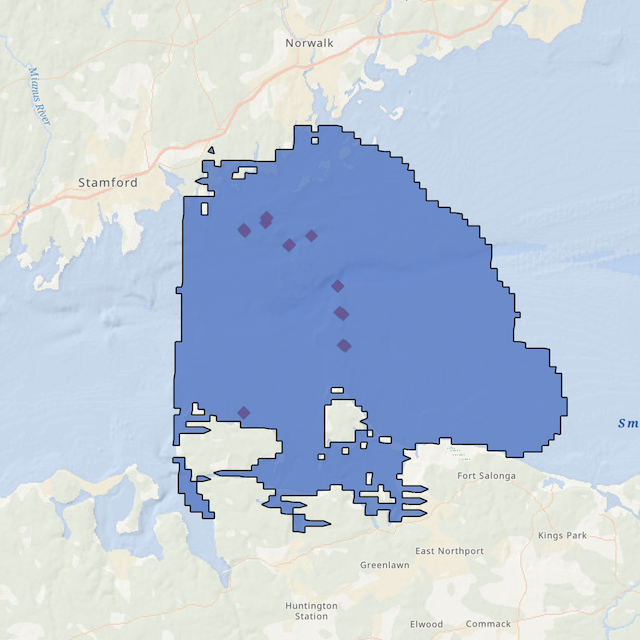
An interactive ArcGIS Online map featuring the locations of some of the remotely operated vehicle (ROV) dives in the Phase IIIB area in the Fall, 2024. Clicking on the points on the map brings up metadata for each dive, including a link to a short (2-3 minute) video of the seafloor at that location. The ROV dive sites were selected to target areas with hard bottom such as boulders and ledges and many of the sites feature the same dominant taxa such as the northern star coral (Astrangia poculata), the dead man’s fingers sponge (Haliclonaoculata) and the yellow boring sponge (Cliona celata).
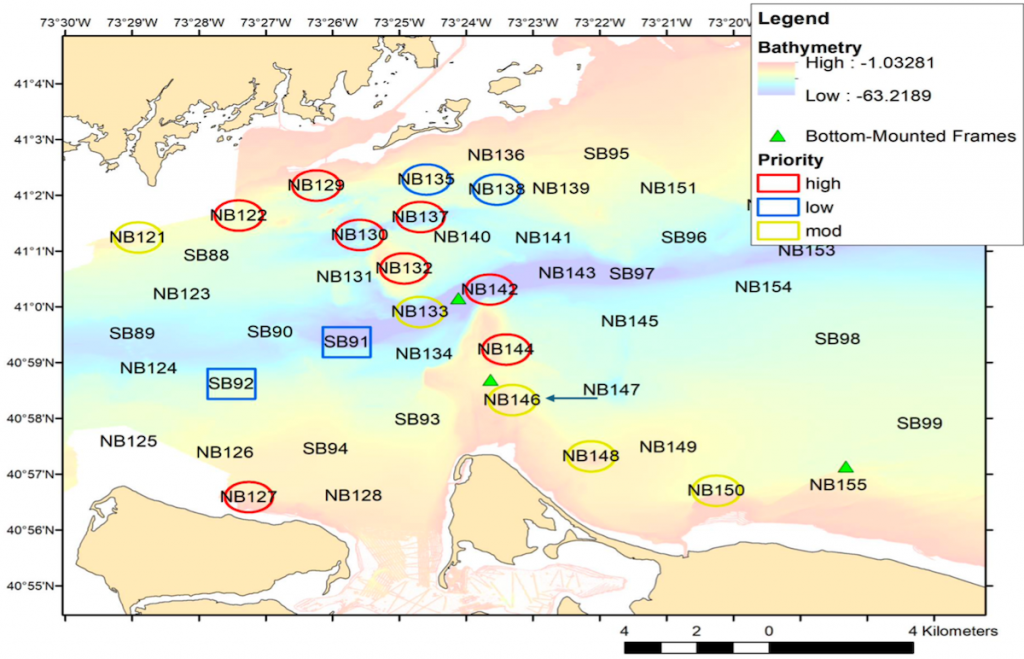
A remotely operated vehicle (ROV) expedition was conducted during the first week in June (2-6) to the west-central area of the Sound to re-visit high priority sites that were first visited in the fall, 2024. The Boxfish Alpha ROV was deployed from the Research Vessel Lowell Weicker at eight sites in the Phase III area of the LIS Mapping Initiative. These sites were selected as they represented hard rock or boulder areas in the Sound that could not be easily sampled or imaged using the U.S. Geological Survey’s SEABOSS.
Map of west-central Long Island Sound showing the locations of the priority sites targeted for the June, 2025 ROV cruise
The Boxfish Alpha is a small observation class remotely operated vehicle (ROV) with an internal battery for power and a thin fiber optic tether that allows for live transmission and recording of 4K video.
The Final Report of the workshop held at UConn Avery Point on April 4, 2024 is now available, and provides a summary of the recorded feedback provided by spatial data users from throughout the Long Island Sound Region on the need for and nature of a Decision Support Tool (DST) for the Sound. Prior to the workshop a Geospatial Data Survey was developed and sent to over 1500 individuals representing a wide variety of data users. The survey was completed by 282 respondents who answered a total of 15 questions that helped identify: (1) from where users are accessing data, (2) preferential data formats, (3) the big picture uses of data, and (4) the biggest challenges to using the data. A summary of the survey is provided in the Workshop Report that is available here.